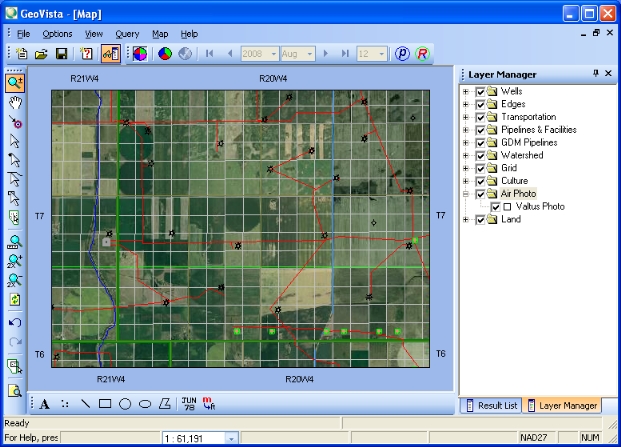
The Air Photo layer is a real-life, photo-realistic view of your map. You can use the Air Photo layer to view actual terrain and facilities, including rivers, mountains, buildings, installations, and roads. The Air Photo layer can display in conjunction with your other layers in the Layer Manager, providing you with a real-world representation of your layers. For example, you can see the actual image of a well in your Map View.
The air photos are orthophotos, which give them the accuracy of a map. When you view orthophotos, you can view ground details and surface features that are not necessarily visible in maps.
If you have a GeoVista with Valtus license, you don't have to log in to a Valtus account. GeoVista includes the air photo layer by default, and the View menu's Update Valtus Account option is unavailable.
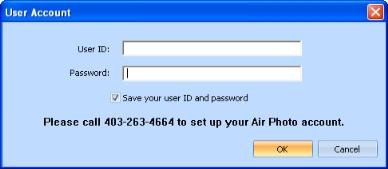
If you don't have a GeoVista with Valtus license,and you have a separate Valtus account, you must log in to your Valtus account to view the Air Photo layer. Follow these steps:
What do you want to do?