
You will find this toolbar at the top of the Result List tab.
| Button | Drop Down List | Name | Description |
|---|---|---|---|

|

|
Engineering Tools |
Opens the well result(s) in Divestco's Engineering Tools software programs. |
| Production Plot | |||
| Pool Evaluation | |||
| Gas Material Balance | |||

|

|
CrossLog |
View your well data in one of Divestco's CrossLog Suite software programs. Select the program you want to open from the list that appears. |
| LogEdit | |||
| LogPrinter | |||

|
|
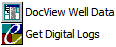
DocView | View scanned well documents (for example, scanned DST reports and directional survey reports). To use this option, you must have an EnerGISite account and a subscription to the Divestco scanned well document database. |
| Get Digital Logs | Purchase and download logs from Divestco's EnerGISite store. For more information, visit this website. | ||

|

|
Core Graph | Click to open the Core Analyzer window displaying information from the current ticket. |

|
n/a | Print Result | Configure how your ticket prints |

|
View list | Additional Menu Options | Click to open a menu with additional options for your result lists. |
What do you want to do?